performancing test
test of the extension to harry's buffalo
posted by mg @ 10:03 PM
0 comments


When you found something interesting while reading a webpage, you can spontaneously highlight a block of content and click "Blog This" button from the toolbar or the right-click menu:
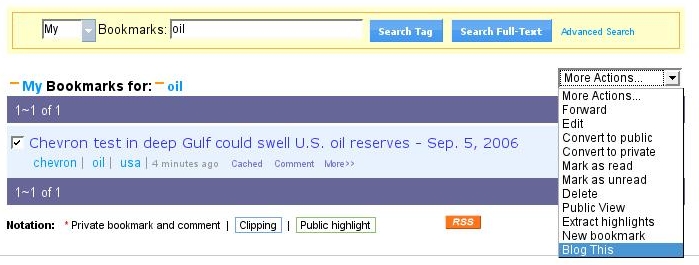
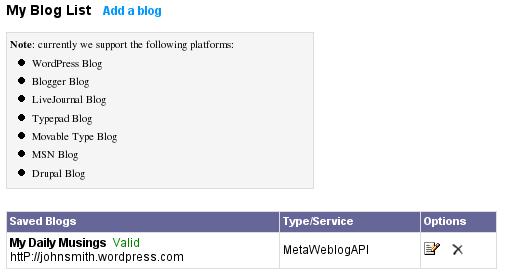
Since this page has not been bookmarked yet, only your highlighted content (text, picture, or table of data), the page's title (link to original page) get automatically posted to an editing window, all nicely formatted, and ready for you to edit. On the left panel, choose which of your blogs (multiple allowed) and category to post to. You can post as draft or directly publish to your blog.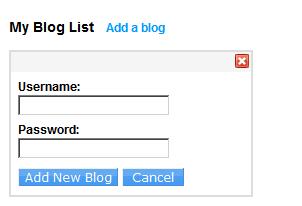
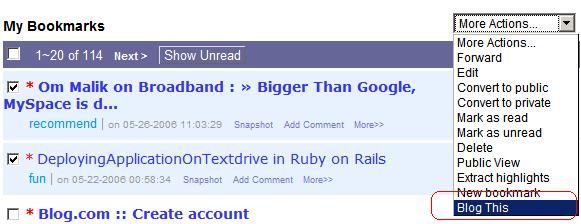
Once you have annotated a webpage with highlights and sticky notes, you can make a blog post based on this annotated page by simply click "Blog This" button.
Because you have bookmarked this page, all your highlights and notes, along with Diigo members' public notes on that webpage will get automatically posted to an editing window, all nicely formatted and ready for you to edit. You will have an additional choice to edit based on "My Diigo Contents" only, or "Include All".
posted by mg @ 1:02 AM
0 comments
